Make Apple Pay part of your budget
Configure Wallet capture so eligible purchases can reach Budgeteer without opening the app at checkout.
Budgeteer is a budget app for iPhone that combines monthly category budgets, expense tracking, tracked accounts, and savings and debt goals. Add purchases manually, speak an expense, scan a receipt, or configure an Apple Pay Wallet automation.
The Apple Pay workflow requires setup on iPhone. Check current subscription options in the app.
Checking a card balance does not tell you how much is left for groceries, dining, or your next goal. A personal budget needs both a spending plan and current transactions, including cash payments and purchases made outside Apple Pay.
Budgeteer brings those pieces together on iPhone. Category budgets show your plan, transactions record spending, accounts help you follow balances, and goals keep savings or debt payoff progress visible. Choose the entry method that fits each purchase instead of using one method for everything.
Understand Apple Pay expense tracking on iPhone →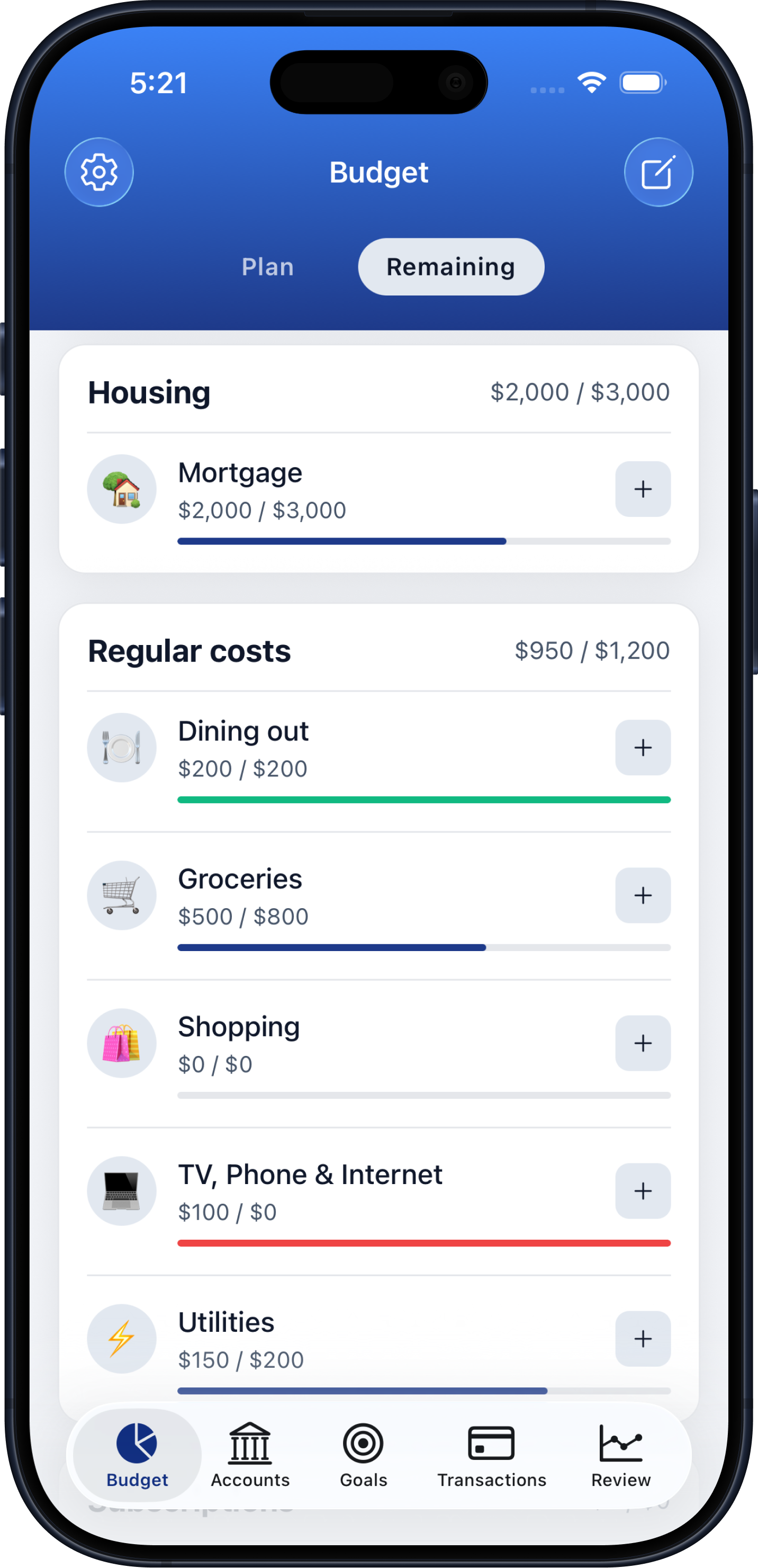
Install Budgeteer from the App Store. Add the accounts you want to track and set up your monthly spending categories.
Use voice for a quick purchase, receipt scanning after checkout, or manual entry for detail. Set up the Wallet automation in Shortcuts if you want Apple Pay capture.
Review recorded transactions, compare category spending with the plan, and follow savings or debt goals before deciding what to spend next.
Configure Wallet capture so eligible purchases can reach Budgeteer without opening the app at checkout.
Record cash, receipts, and other everyday expenses with voice or manual entry.
Review budgets, tracked balances, goals, and financial reviews from the phone you carry.
Recording purchases matters because it changes the next decision. A category budget helps you see whether another meal out fits this month; savings and debt goals keep longer-term priorities beside everyday spending.
Budgeteer is also available on iPad and Android. The Apple Pay workflow described here is specific to iPhone and requires a Wallet automation in Shortcuts. Review the App Store listing for current device compatibility and the app for subscription options. You can explore the separate feature pages below before deciding whether the workflow fits you.
Yes. Download Budgeteer from the App Store. It is also available for iPad and on Android through Google Play.
Yes, on iPhone after enabling shortcut access in Budgeteer and configuring a Wallet automation in Apple’s Shortcuts app. Review the captured transactions for accuracy.
Yes. Budgeteer supports voice entry, receipt scanning, and manual transaction entry.
Yes. Budgeteer includes savings and debt payoff goal tracking alongside monthly budgets and accounts.
No. Enable shortcut access in Budgeteer and configure the Wallet automation for the cards you want to track first.
Download Budgeteer from the App Store and connect your next purchase to your spending plan.