Start with useful categories
Build a plan around actual spending decisions rather than tracking detail you will never use.
Budgeteer is a budgeting and expense tracking app for iPhone, iPad, and Android. If you want a simple budgeting app, start with a few spending categories, capture purchases as they happen, and review your budget alongside tracked accounts and savings goals.
Available for iPhone, iPad, and Android. Check current subscription options in the app.
A detailed spreadsheet or too many categories can make every purchase feel like homework. The useful question is smaller: how much can you spend on the things that matter this month, and what has already been spent?
Budgeteer connects category planning, expense capture, tracked balances, and savings goals. Start with the categories you actually use, add purchases by the method that suits the moment, and review spending against your monthly plan. You do not need to use every feature to build a routine.
Choose an expense tracking routine you can maintain →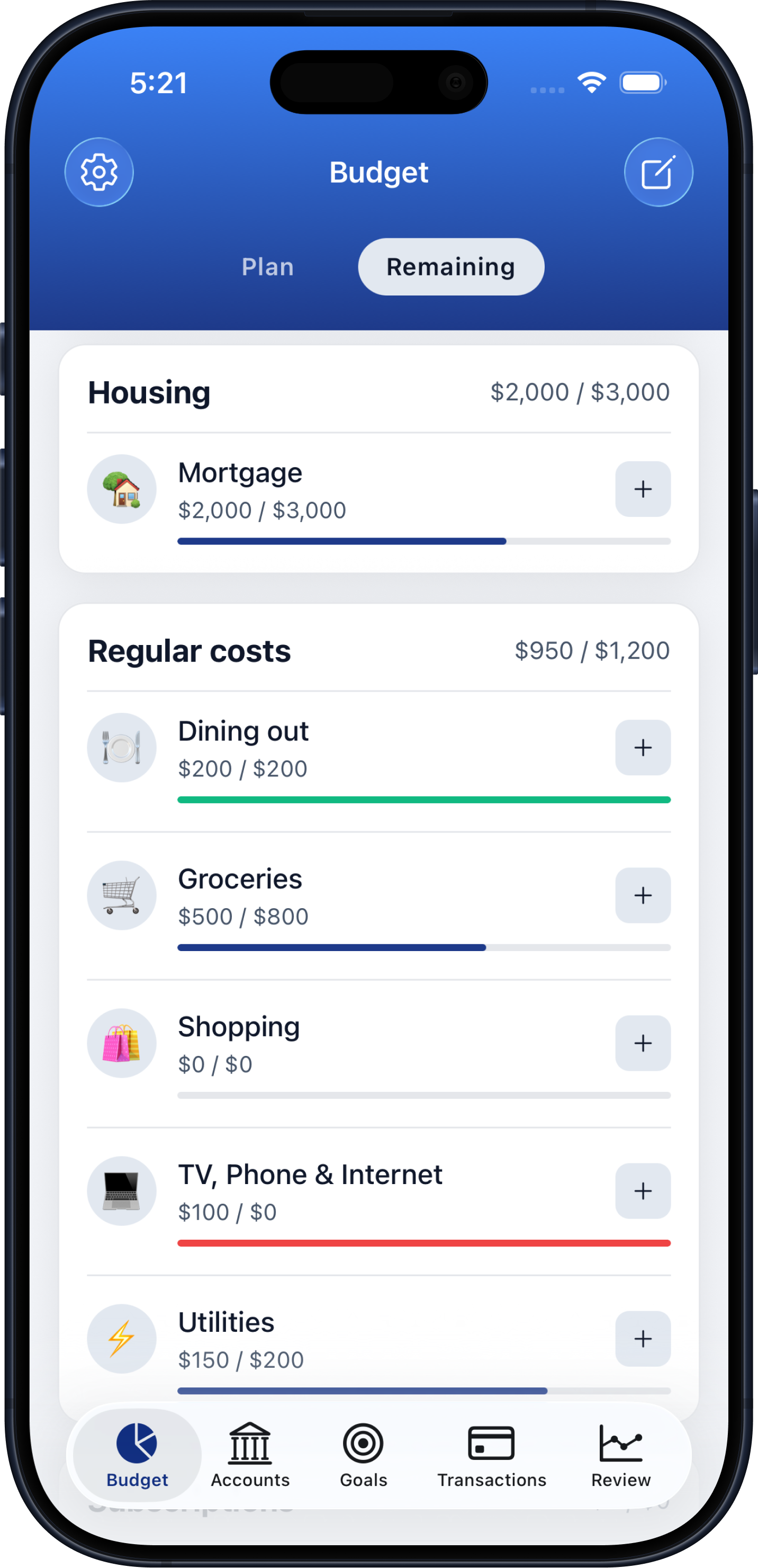
Choose practical categories such as groceries, dining, transportation, and bills. Set amounts that reflect your real commitments.
Use manual entry, voice, or receipt scanning. On iPhone, you can also configure an Apple Pay Wallet automation.
Compare category spending with your plan, check tracked accounts, and adjust future spending or next month’s budget using what you learn.
Build a plan around actual spending decisions rather than tracking detail you will never use.
Follow savings and debt payoff goals while keeping day-to-day category spending visible.
Use Budgeteer’s financial reviews to turn recorded purchases into decisions for the next month.
An easy budgeting app should help you maintain a plan after the first day. Budgeteer gives you several ways to capture purchases so a cash payment, a receipt, and a tap-to-pay purchase can all contribute to the same budget.
Choose one default capture method and a short weekly review. Check missing purchases, duplicated expenses, and categories moving faster than you planned. Add more categories or goals when they help you make a decision. Budgeteer tracks the information you enter or capture; account balances still benefit from regular reconciliation.
Begin with a few spending categories, log purchases consistently, and review once a week. Add more detail only when it helps you decide how to use your money.
Yes. Record spending and categorize transactions, then use category totals to understand where your money is going.
Yes. Budgeteer includes savings and debt payoff goal tracking alongside budgets, transactions, and tracked accounts.
No. Budgeteer supports voice entry and receipt scanning. On iPhone, an Apple Pay Wallet automation can capture eligible purchases after setup.
Budgeteer offers subscriptions. Check the current prices, subscription options, and any available trial in the app before subscribing.
Download Budgeteer, create a few useful categories, and record your first expense.
